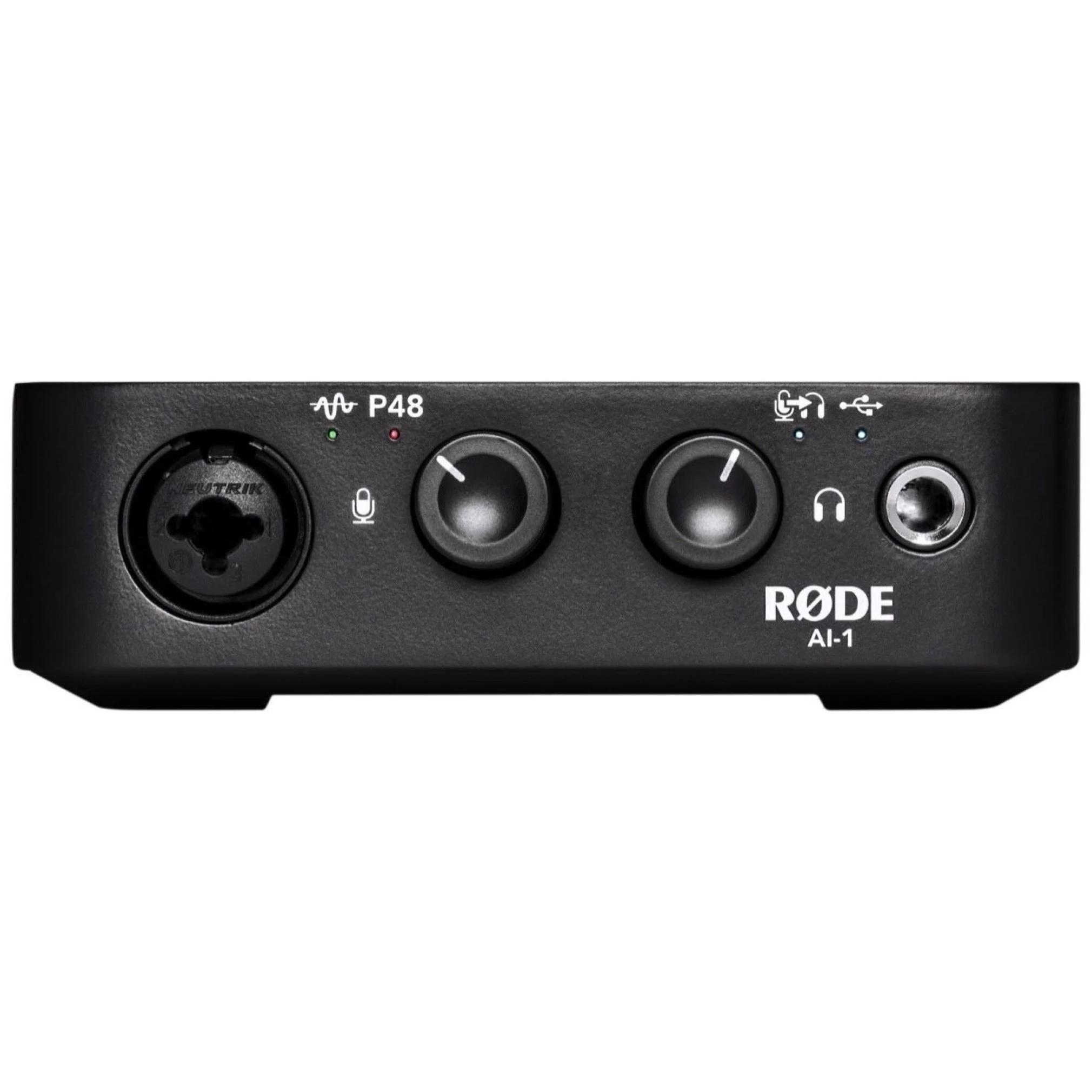
The Rode AI-1 USB Audio Interface adds studio-quality input and output capabilities to your computer, making home recording easier than it’s ever been. With its high quality Neutrik TM combo jack input and discrete Class-A preamp, you’ll be able to connect either a microphone, guitar or a line level instrument, such as a synthesizer. The AI-1 is the best quality-for-price single-channel interface available, bar none. It‚Äôs also incredibly easy to use, thanks to thoughtful design, Australian Made quality ‚Äì it is the perfect companion to any of R√òDE MicrophonesThe AI-1 allows zero-latency playback by enabling the direct monitoring feature and playback via headphones/speakers with the high quality discrete headphone amplifier. To ensure the AI-1 is truly versatile it features 48V Phantom Power and is class compliant ‚Äì so no need to install any drivers.
Features:
– Ultra low-noise Class-A discrete preamplifier
– Sampling rate of up to 96kHz/24-Bit
– Premium discrete headphone amplifier
РXLR-1/4” Combo Jack Instrument / line level input
Р2 x Balanced 1/4” speaker outputs
– Rugged body with Satin Black Finish
– USB-C/3 connectivityHardware Features:
РXLR-1/4” Combo Input: Balanced input via 3-pin XLR
Р1/4” Neutrik combo socket. Microphones, instruments (guitars) and line level instruments (synthesizers) can be connected via this input.
– Signal LED: Indicates signal input level. No LED indicates below -60dB. Green LED indicates an input level of at least -40dB, Yellow indicates an input level above -12dB and Red indicates an input level of above -3dB.
РPhantom Power LED: Indicates when phantom power 48V is applied to XLR-1/4” Combo Jack input. Gain level knob must be pushed to turn on/off.
– Gain Level Knob: Gain knob for adjusting input gain. Press knob to turn on/off phantom power.
– Playback/Monitor Level Knob: Gain knob for adjusting headphone / speaker volume. Press knob to turn Direct Monitoring on/off.
– Direct Monitor LED: Indicates when Direct Monitoring is on/off. When Direct Monitoring is ON, audio from the microphone will be routed directly to the headphones. When Direct Monitoring is OFF, you will hear only audio from the computer.
– USB LED: Indicates when the AI-1 is connected via the USB cable.
РHeadphone Jack Output: Connector for headphones, ¼” TRS jack requiredHardware Features Back:
– USB-C Port: USB-C type connector. Connect to your laptop or computer with the USB cable supplied.
РSpeaker outputs: 2 x 1/4” impedance balanced outputs.